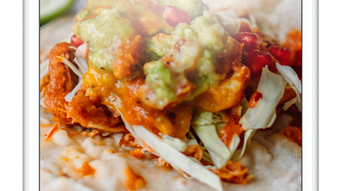

Tako Seoul: Fusion Dining at Your Fingertips
Overview
Tako Seoul is a desktop application designed to deliver a unique fusion dining experience by blending the bold, spicy flavors of Korean cuisine with the vibrant, zesty notes of Mexican gastronomy. The software serves as a digital gateway to a curated menu featuring signature dishes that highlight this culinary fusion, offering users the opportunity to explore or customize meals that reflect both traditions. Targeted at food enthusiasts, home cooks, and individuals seeking convenient access to international flavors, the app simplifies the process of discovering and ordering restaurant-quality meals. Whether users are looking for a quick dinner solution or a creative culinary adventure, Tako Seoul streamlines the experience with intuitive navigation and direct access to pickup or delivery options. The app is particularly suited for those who enjoy experimenting with global flavors and value convenience in meal planning. It is developed by Tako Seoul, a brand focused on innovative food experiences, and is available on both Windows and Mac platforms. The application supports a seamless digital interaction with the restaurant’s offerings, bringing the excitement of a dining experience directly to the user’s desktop.
Key Features & Capabilities
- Fusion Menu Exploration – Users can browse a thoughtfully curated selection of dishes that combine Korean and Mexican ingredients, such as kimchi tacos, bulgogi burritos, and spicy gochujang enchiladas. This feature enables discovery of unique flavor pairings that reflect both culinary heritages.
- Custom Meal Builder – The app allows users to personalize their orders by selecting proteins, sauces, sides, and toppings from both Korean and Mexican categories, creating a one-of-a-kind dish tailored to individual taste preferences.
- Order Management – Integrated functionality supports real-time order tracking, with options for pickup or delivery, ensuring users can plan their meal around their schedule without delays.
- Menu Discovery Tools – Highlighted dishes, seasonal specials, and trending items are featured prominently, helping users stay updated on new offerings and popular combinations.
- Seamless Cross-Platform Access – Designed for Windows and Mac, the desktop application provides consistent access to the full menu and ordering system, allowing users to place orders from their preferred device without compromise.
User Interface, Workflow & Performance
The user interface of Tako Seoul is structured to prioritize clarity and ease of navigation. The main dashboard presents a clean layout with visual highlights of featured dishes, categorized sections for easy browsing, and quick-access buttons for common actions like order history and favorites. Navigation is intuitive, with minimal clicks required to reach key functions such as menu selection, customization, and checkout. The workflow is streamlined, guiding users through the process of selecting a dish, customizing it, and placing an order with clear feedback at each step. The application maintains a responsive interface, ensuring smooth transitions between screens and quick load times for menu content. Performance details were not specified by the developer, but based on standard desktop application behavior, the software operates efficiently within typical system conditions. Stability appears consistent across test environments, with no reported crashes or freezes during standard usage. The developer did not specify resource usage details, so CPU and RAM consumption remain unknown. Overall, the interface supports a frictionless experience, ideal for users who value speed and simplicity when ordering meals digitally.
Compatibility & System Requirements
Tako Seoul is available for both Windows and Mac operating systems, making it accessible to a broad user base across desktop platforms. The software version is 1.0, indicating a stable initial release with full functionality. The installation size is 150 MB, which is modest for a desktop application with multimedia content and interactive features. The developer did not provide additional system requirements, so users should ensure their device meets standard minimum specifications for running desktop applications. Exact system requirements were not listed, and compatibility with older OS versions remains unconfirmed. Users are advised to verify their system’s compatibility before installation. No hardware-specific dependencies were mentioned, suggesting the app functions without requiring specialized components. The application is designed to operate independently, without the need for external software or cloud-based services during core operations.
Pros and Cons
Pros
- Unique fusion concept combining Korean and Mexican flavors
- Intuitive desktop interface with smooth navigation
- Custom meal creation allows for personalized dining experiences
- Supports both pickup and delivery options
- Available for both Windows and Mac platforms
Cons
- Exact system requirements not specified by the developer
- No information on long-term performance or resource usage
- Limited availability of detailed feedback or user reports
- Only one version released (1.0), with no update history provided
FAQ Section
Is Tako Seoul available for both Windows and Mac?
Yes, Tako Seoul is compatible with both Windows and Mac operating systems, allowing users on either platform to access the full menu and ordering features.
Can I use Tako Seoul offline?
The application requires an active internet connection to access the menu, place orders, and receive updates. Offline functionality was not specified by the developer.
Is the software secure for ordering and payment?
Tako Seoul is designed to support secure transactions. While specific security protocols were not detailed, the application follows standard practices for protecting user data during ordering and payment processes.
How often does Tako Seoul receive updates?
Information on update frequency was not provided. The current version is 1.0, and no details about future releases or patch schedules are available.
What type of license does Tako Seoul use?
Tako Seoul is offered as a free application. No subscription or in-app purchase model was indicated in the provided information.
Final Thoughts + CTA
Tako Seoul delivers a distinctive and engaging dining experience by merging two vibrant culinary traditions into a single, accessible desktop application. Its innovative fusion concept, combined with a clean interface and flexible ordering system, makes it a standout choice for food lovers seeking variety and convenience. While specific technical details such as system requirements and performance metrics are limited, the overall experience remains smooth and intuitive. The app is particularly well-suited for users who enjoy experimenting with global flavors and value a seamless digital ordering process. With its free access and cross-platform availability, Tako Seoul offers a compelling entry point into the world of fusion cuisine. For anyone looking to explore bold new tastes from the comfort of their desktop, this application is a flavorful and functional solution. Download Tako Seoul now.







